Have you ever struggled to express your true emotions in English while chatting with your family or friends? You are certainly not alone. In 2026, learning how to type in regional Indian languages on WhatsApp is the ultimate game-changer for millions of smartphone users across the country. Whether you want to send a sweet “Ram Ram Ji” to your relatives in Haryana, a respectful “Khamma Ghani” to your business partners in Rajasthan, or just have a fun conversation in Tamil or Marathi, using your mother tongue adds a personal touch that English simply cannot match.
Despite the massive digital revolution, many users still find it incredibly difficult to navigate complex regional language keyboards. The traditional Devanagari or Dravidian keyboard layouts can be confusing for someone who is used to the standard English QWERTY keyboard. If you want to know how to type in regional Indian languages on WhatsApp without the headache of learning a new layout, you have come to the right place.
In this comprehensive guide, we will walk you through the absolute best methods to type in regional Indian languages on WhatsApp seamlessly. From using smart transliteration web tools to tweaking your mobile keyboard settings, we have got you covered.
Why You Should Chat in Your Mother Tongue on WhatsApp
Before we dive into the “how-to,” let us briefly discuss why switching to your regional language is highly beneficial. When you type in regional Indian languages on WhatsApp, you create a deeper bond with the receiver. English is great for formal emails, but when it comes to expressing joy, sorrow, excitement, or humor, nothing beats the vernacular languages of India.
- Emotional Connection: A message written in Hindi, Gujarati, or Punjabi carries a deep emotional weight. It bridges the generational gap when chatting with older relatives.
- Avoiding Miscommunications: Typing regional words in English letters (Thanglish or Hinglish) often leads to hilarious or disastrous autocorrect fails.
- Promoting Local Culture: By actively using local languages online, you contribute to preserving the rich linguistic heritage of India on the internet.
Method 1: Using IndTyping’s Free Phonetic Transliteration Tools
If you do not want to clutter your phone with third-party keyboard apps, using IndTyping is the smartest way to type in regional Indian languages on WhatsApp. This is highly effective if you are using WhatsApp Web on your desktop, making IndTyping your best digital companion.
Phonetic transliteration is a magical technology that reads your English keystrokes and converts them into the corresponding regional script based on the sound. For instance, if you type “Kaise ho,” it automatically converts it to “कैसे हो”.
How to Use IndTyping for WhatsApp:
- Choose Your Language: Navigate to your desired language tool on our website. For example, if you want to chat in Hindi, visit our English to Hindi Typing Tool.
- Type in English: Simply type the words exactly as they sound in English using your normal keyboard.
- Hit Space: The moment you press the spacebar, our smart API instantly translates the phonetic English word into the beautiful native script.
- Copy and Paste: Once your message is ready, click the “Copy” button or use the direct “Share to WhatsApp” button. It really is that easy to type in regional Indian languages on WhatsApp!
We offer specialized tools tailored for various regional dialects. Are you from Rajasthan? Try our highly accurate Marwadi Typing Tool. Want to impress your friends in Rohtak? Use our new Haryanvi Typing Converter. These tools are 100% free, require no installation, and maintain your data privacy.
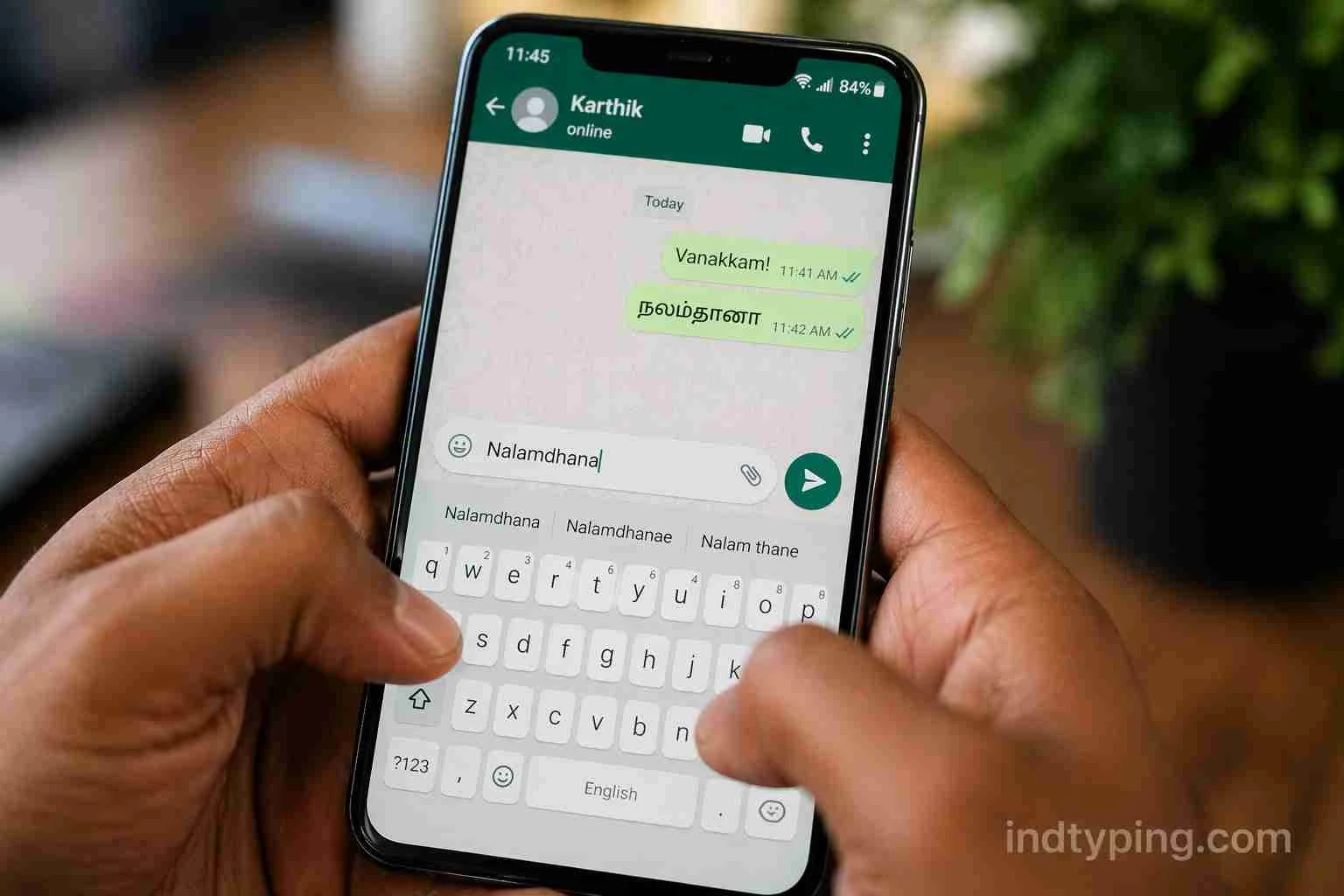
Fig 1: Effortlessly copying text from IndTyping directly into WhatsApp.
Method 2: Voice Typing (The Hands-Free Revolution)
Sometimes, your hands are tied, or you are simply too tired to type out long paragraphs. In 2026, voice-to-text AI has reached unprecedented levels of accuracy. This offers a fantastic alternative for those who want to type in regional Indian languages on WhatsApp without actually typing at all!
While WhatsApp has an inbuilt voice note feature, sometimes you want to send actual text that people can read in crowded places. To do this, you can utilize external speech-to-text dictation platforms.
We highly recommend trying out platforms that specialize in Indic languages. For example, you can visit FreeVoiceTyping.com, which supports voice dictation for Hindi, Marathi, Kannada, Tamil, and many other regional languages. You just need to grant microphone access, speak naturally in your mother tongue, and the tool will type the text for you instantly. Copy that text and blast it into your WhatsApp chats!
Method 3: Configuring Google Keyboard (Gboard) for Mobile
For users who are constantly on their Android or iOS smartphones, configuring your native keyboard app is essential. The Google Keyboard (Gboard) offers an excellent “Hinglish” or “Tanglish” typing mode, allowing you to quickly type in regional Indian languages on WhatsApp from any screen.
Steps to Enable Transliteration on Gboard:
- Open WhatsApp and tap on any chat to bring up the keyboard.
- Tap on the Settings (Gear Icon) located at the top row of the keyboard.
- Select Languages, and then tap on Add Keyboard at the bottom.
- Search for your preferred regional language (e.g., Tamil, Marathi, Bhojpuri).
- Here is the secret trick: Instead of selecting the native script layout, select the “abc -> (Language)” option. This enables phonetic transliteration!
- Tap Done. Now, when you type in WhatsApp using English letters, Gboard will suggest the regional words in the top bar.
You can learn more about Gboard’s official capabilities on the Google Play Store.
Troubleshooting: Common Font Rendering Issues
Occasionally, when you copy regional text from an online tool and paste it into WhatsApp Desktop or an older smartphone, you might see broken boxes or “tofu” characters instead of the actual letters. This is known as a font rendering issue.
This usually happens when your device lacks the necessary Unicode font packs to display complex Devanagari or Dravidian scripts. To fix this, ensure that your mobile operating system is updated to the latest version. For Windows 11 users using WhatsApp Web, make sure you have the optional “Indic language packs” installed via the Windows Language Settings menu.
Frequently Asked Questions (FAQ)
1. What is the easiest way to type in regional Indian languages on WhatsApp?
The easiest way is to use phonetic transliteration tools like IndTyping, or by enabling the “abc -> Language” layout in Google Gboard. These methods let you use your standard English keyboard.
2. Is it safe to use online transliteration tools for WhatsApp chats?
Yes, it is completely safe. Platforms like IndTyping run directly on your browser using client-side scripts. This means your personal chat messages are never stored or saved on our servers, ensuring 100% data privacy.
3. Does WhatsApp support all regional Indian languages?
WhatsApp officially supports the Unicode standard, which covers almost all regional Indian languages, including