English to Telugu Typing – Easy & Fast (2026)
Andariki Namaskaram! 👋 Meeru Telugu type cheyadaniki ibbandi paduthunnara? Asalu kangarupadakandi. Welcome to the easiest way to type in Telugu online.
Idhi IndTyping yokka special English to Telugu Typing Tool. Deenini meeru oka smart Teluglish to Telugu Converter ga vadachu. Just mee mobile lo “Namaskaram” ani type chesi Space ivvandi, adhi ventane “నమస్కారం” (Telugu) ga maaripothundi.
How to Convert Teluglish to Telugu Instantly?
Expressing your emotions in your mother tongue shouldn’t be complicated. Our English to Telugu Typing tool perfectly understands “Teluglish” (Telugu typed using English alphabets), eliminating the need for complex keyboard layouts like Apple or Inscript.
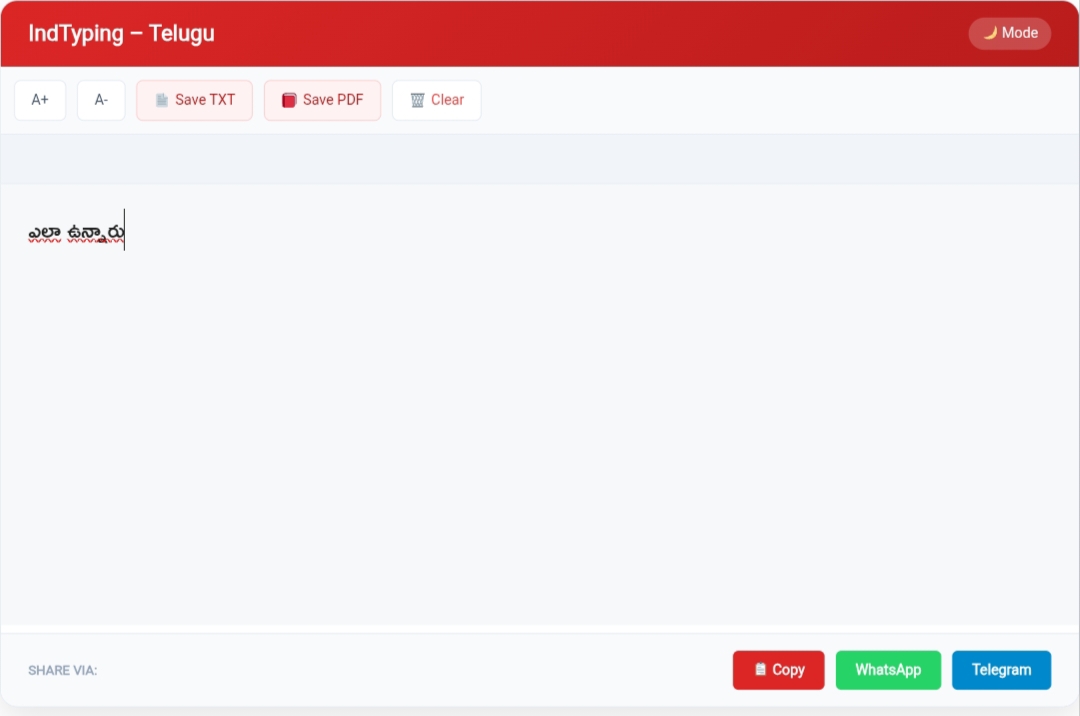
Fig: Simple User Interface for Fast Telugu Typing
Just type your words exactly as they sound phonetically (for example, type “Ela unnaru”) and press the Spacebar. Our highly advanced engine instantly converts it to “ఎలా ఉన్నారు”. It flawlessly formats complex Telugu vowels and half-letters (Vothulu) automatically, making it perfect for WhatsApp updates and professional emails.
Explore Other Languages:
🔹 English to Tamil Typing (Home)
🔸 English to Hindi Typing
🔹 English to Malayalam Typing
🔸 English to Kannada Typing
Why Choose Our Telugu Keyboard Online?
- Zero Installation: Forget heavy software downloads. Our tool runs instantly directly in your web browser.
- Universal Unicode: Copy and paste your Telugu text directly into Facebook, MS Word, or WhatsApp without font rendering issues.
- Smart Spelling Suggestions: Click on any converted Telugu word to view a drop-down list of alternative accurate spellings.
- 100% Privacy: We never record or save your text. All transliteration happens securely on your own device.
Frequently Asked Questions (FAQ)
1. Can I use this for Teluglish to Telugu conversion?
Yes! Just type conversational Teluglish like “Bagunnara,” and it will automatically convert to proper Telugu (“బాగున్నారా”).
2. Do I need to install Telugu fonts to view the text?
No. Our tool uses standard Unicode text, so the Telugu characters will automatically display perfectly on any modern smartphone or PC.
3. Is this tool completely free to use?
Absolutely! There are no hidden fees, no subscriptions, and no daily word limits. You can type as much as you need for free.
Need Help with Telugu Typing?
At IndTyping, we aim to provide the easiest typing experience. If you find any word conversion issues, please let us know!
Contact Us →