In the rapidly evolving digital landscape of 2026, communicating in our mother tongue has become a vital part of our online identity. However, when it comes to inputting regional scripts on digital devices, users often find themselves at a crossroads. The debate between Phonetic Typing vs. Traditional Keyboards is more relevant than ever. Should you spend weeks mastering the complex layout of a traditional Indic keyboard, or should you embrace the modern, intuitive approach of phonetic transliteration? If you want to know which method will save you time and boost your productivity, you have arrived at the perfect guide.
Typing in Indian languages like Hindi, Tamil, Marathi, or Haryanvi used to be an exclusive skill reserved for DTP operators and professional data entry clerks. Today, thanks to the explosion of vernacular content on the internet, everyone from social media influencers to grandmothers wants to type in their native language. But the core question remains: which typing method is the most efficient and user-friendly for the average internet user?
In this comprehensive, deep-dive article, we will analyze the pros, cons, and fundamental differences between Phonetic Typing vs. Traditional Keyboards, so you can decide which tool is the absolute best for your daily digital communication.
What is a Traditional Keyboard Layout?
To fully understand the comparison, we must first look at traditional typing methods. Traditional Indian keyboards, such as the InScript (Indian Script) keyboard layout, were developed by the Government of India in the 1980s. The goal was to create a standardized layout for all Indic scripts based on the QWERTY physical keyboard.
In a traditional layout, specific keys on your English keyboard are permanently mapped to specific Devanagari or Dravidian characters. For example, pressing the “K” key might output “क” (Ka), while pressing “Shift + K” might output “ख” (Kha). There are also legacy non-Unicode fonts like Bamini for Tamil, or Kruti Dev for Hindi, which follow their own unique, complex mapping rules.
The Pros of Traditional Keyboards:
- Professional Standard: It is the recognized standard for government exams, official documentation, and professional publishing houses.
- Offline Capability: Once the layout is memorized, a professional typist can type at blinding speeds without relying on internet connections or smart predictive engines.
The Cons of Traditional Keyboards:
- Steep Learning Curve: It takes months of dedicated practice to memorize the exact location of half-letters, matras (vowel signs), and conjunct consonants.
- Not Mobile-Friendly: Navigating these complex layouts on a small 6-inch smartphone screen is incredibly frustrating for the average user.
What is Phonetic Typing (Transliteration)?
On the other side of the ring in the Phonetic Typing vs. Traditional Keyboards battle is the modern champion: Phonetic Transliteration. This method does not force you to learn a new layout. Instead, it leverages the English QWERTY keyboard—which you already know—to produce regional text based on how the word sounds.
For example, if you want to write the Hindi word for “India” (भारत), you simply type “Bharat” in English. The phonetic engine uses an advanced algorithm to understand the sound of the English letters and instantly converts them into the perfect Devanagari script. It is the digital equivalent of typing in “Thanglish” or “Hinglish,” but getting the pure native script as the output.
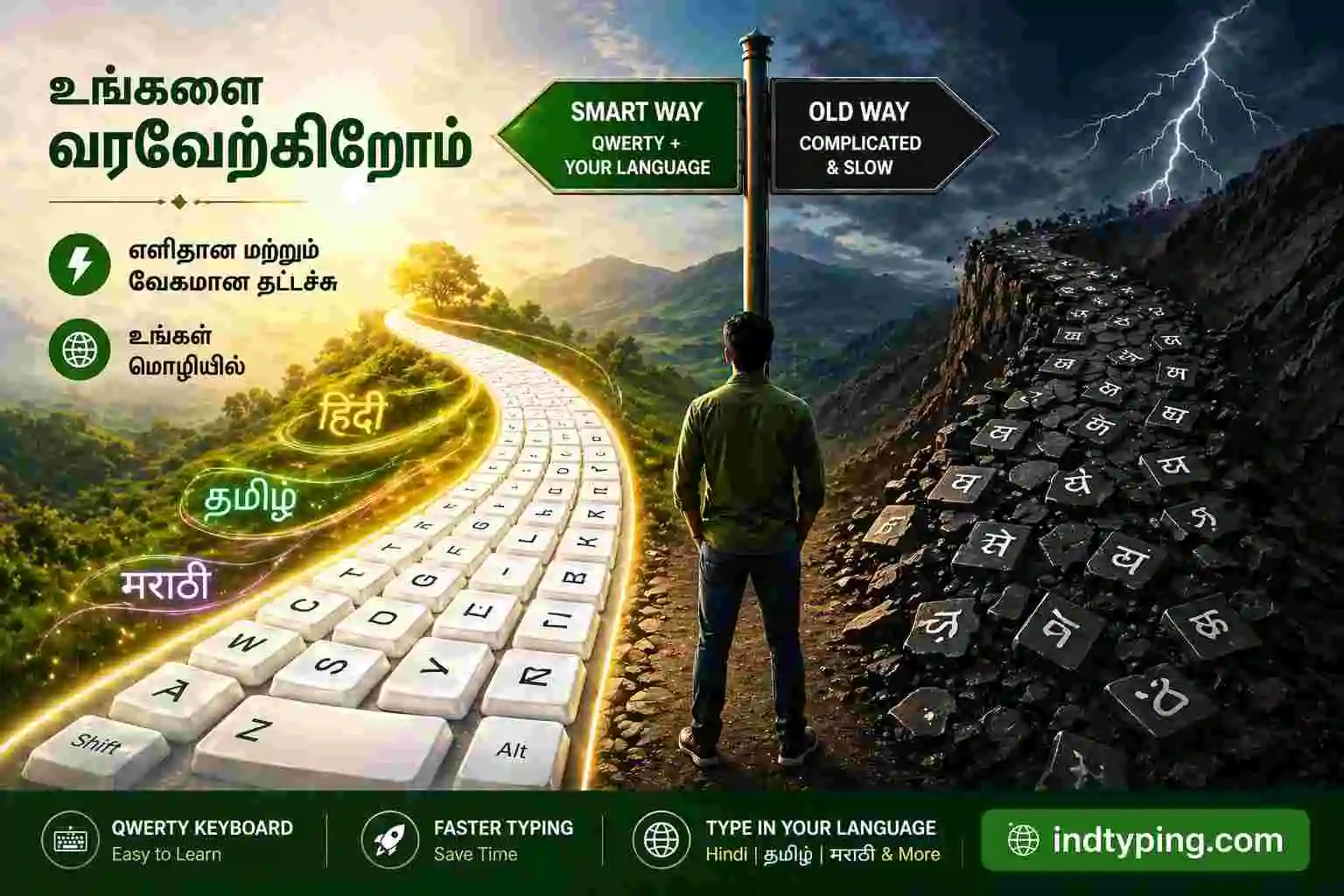
Fig 1: A visual representation showing the ease of Phonetic Transliteration compared to complex InScript layouts.
The Benefits of Phonetic Typing:
- Zero Learning Time: If you know how to read and write English alphabets, you can instantly start typing in your mother tongue. There is absolutely no training required.
- Smart Suggestions: Modern phonetic engines provide real-time dropdown suggestions. If you misspell a word slightly, the AI is usually smart enough to predict the correct regional word.
- Perfect for Mobile & Social Media: It is incredibly fast for typing WhatsApp messages, Instagram captions, and Facebook updates. If you want to learn more about mobile chatting, check out our guide on How to Type in Regional Indian Languages on WhatsApp Faster.
Head-to-Head: Phonetic Typing vs. Traditional Keyboards
To declare a winner, we need to compare these two typing methodologies across several crucial parameters that matter to content creators and everyday internet users.
1. Speed and Accessibility
For a trained professional, a traditional keyboard might yield higher words-per-minute (WPM) during bulk data entry. However, for 95% of internet users, phonetic typing is exponentially faster. Because you are utilizing your existing muscle memory on the QWERTY keyboard, you bypass the hesitation of searching for specific regional letters.
2. Accuracy and Unicode Compliance
In the past, traditional typists argued that phonetic tools made spelling mistakes. In 2026, this is no longer true. Phonetic tools now use robust dictionaries and standard Unicode formatting. This means the text you generate using a phonetic tool will display flawlessly across all modern browsers, mobile apps, and operating systems without rendering “broken box” errors.
3. Multilingual Capabilities
If you are a digital marketer or a multilingual individual, learning the traditional keyboard layout for Hindi, Gujarati, and Tamil would take years. Phonetic typing destroys this barrier. You can switch between our English to Hindi Typing Tool and our English to Haryanvi Typing Tool seamlessly, using the exact same English QWERTY skills.
Why Phonetic Transliteration is the Future
When we look at the ultimate conclusion of the Phonetic Typing vs. Traditional Keyboards debate, the shift towards phonetic transliteration is undeniable. Major tech giants like Google and Microsoft have heavily invested in transliteration APIs because they recognize that forcing users to learn legacy layouts hinders the growth of regional internet content.
Platforms like IndTyping are built entirely on the philosophy that your mother tongue should be easily accessible. We provide dedicated transliteration web tools that act as a bridge between the physical English keyboard and the digital regional script. You do not need to install complex software packages or buy keyboard stickers anymore.
Frequently Asked Questions (FAQ)
1. What exactly is the difference between Phonetic Typing vs. Traditional Keyboards?
Traditional keyboards require you to memorize specific keys for specific regional letters (like the InScript layout). Phonetic typing allows you to type the word as it sounds in English (e.g., typing “Namaste”), and the software automatically converts it into the native script (नमस्ते).
2. Is phonetic typing good for professional content creation and blogging?
Absolutely. The majority of modern digital content creators, bloggers, and SEO specialists use phonetic transliteration tools. It generates 100% accurate Unicode text which is completely optimized for Google Search and social media platforms.
3. Do I need to download software for Phonetic Typing?
No, you do not need to download heavy software. You can use free web-based platforms like IndTyping.com directly from your Chrome or Safari browser. Just type, convert, and copy your text instantly.
The Final Verdict
So, in the battle of Phonetic Typing vs. Traditional Keyboards, which one is best for you? The answer is clear: unless you are a professional government typist strictly required to use the InScript layout, Phonetic Typing is the undisputed winner.
It removes the friction of communication, encourages more users to produce regional content, and allows you to express your true self without wasting time learning a new skill. The next time you want to write a heartfelt post in your native language, simply open an IndTyping phonetic converter, type in English, and watch the magic happen.